Category page · photo-to-video dance tools, compared on the specs that change your export

AI Dance Video Generator: Input, Output, Price and Watermark Compared

Most "AI dance video generators" are one of two things: a text-to-video model that has never seen a dance trend, or a template app that locks the choreography and slaps a watermark on the export. This page compares them the way you'd actually choose — what you feed in, what comes out, what it costs, what's burned into the frame, and which controls you get before and after the render.

Looks Can Kill AI sits on the photo-to-video side: you upload one clear photo and a short text prompt, and it returns a vertical clip of that person hitting the hero point from IVE's "Looks Can Kill" choreography. Credits start at $9.90; a standard 720p, 12-second clip costs 35 credits, and failed renders are refunded to your balance.

Clips on this page are AI-generated previews. They are fictional and not a record of a real event.

Updated 20 October 2026

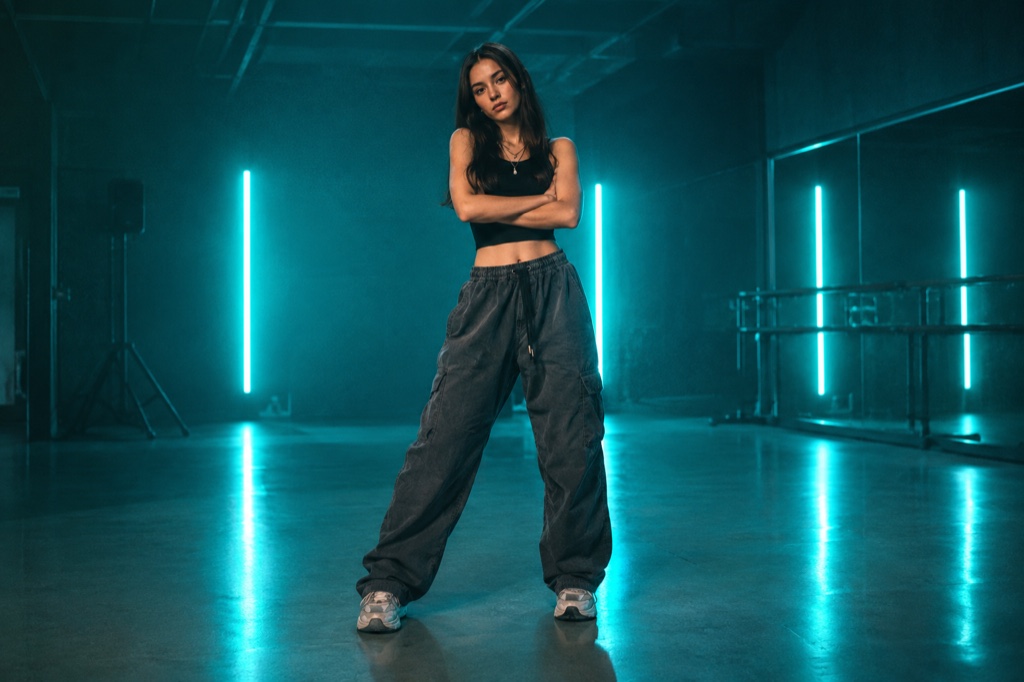
Vertical 9:16 preview frame of a fan-made hero-point dance clip generated from a single uploaded photo
Length
5–12 seconds
Resolution
480p · 720p · 1080p
Aspect ratio
9:16 · 16:9 · 1:1
Watermark
None on paid renders
Model
Seedance 2.0
Moderation
SeeAPI, fail-closed

One photo in, a 12-second vertical clip out

Upload a single still — no video capture, no ring light, no motion tracking setup — and get a 720p 9:16 clip of the hero point. Text-only prompts work too when you don't want to appear in frame.

35 credits per clip, failures refunded

Credits start at $9.90 and a standard 720p, 12-second render costs 35 credits, so you can do the math before buying a pack. If a render fails, the credits return to your balance instead of disappearing into a queue.

Prompt-level control, no logo stamped on the frame

You steer pose, camera height, energy and styling with words, then re-render. The site doesn't burn its own watermark over the export, and clips render silent so you pick the audio when you post.

How it works

  1. 1

    Start with a usable still

    A sharp, evenly lit photo where the face and hands are visible. Waist-up and full-body both work; the point reads better when the arm has room to extend past the edge of the frame.

  2. 2

    Describe the hero point

    Name the move: right hand in a finger-gun, arm driving forward, chin up, shoulders squared, a small weight shift onto the front foot. A chest-height camera keeps it reading as dance rather than a portrait.

  3. 3

    Lock the frame

    Vertical 9:16, subject centred, a little headroom above the hair. The standard render is 720p and 12 seconds, which is long enough for the point, the shift and a beat of hold.

  4. 4

    Render, then re-prompt

    Review the clip. If the arm angle or the energy is wrong, edit the prompt and render again — failed renders are refunded, so a bad queue position never becomes a paid mistake.

Start from a tested prompt

Each prompt is complete: subject, scene, camera and what must not change. Copy it or open the studio with it pre-filled.

Split view of an original uploaded portrait beside a generated 12-second dance clip frame showing the finger-gun point

Rooftop hero

A rooftop hero scene that keeps the face and outfit from your photo.

Prompt (English)

Use the person in the uploaded photo as the only hero. Keep their face, hair, skin tone and outfit exactly as photographed. Night rooftop above a glowing city skyline, a light breeze moving their hair and jacket. The person walks two steps toward the lens, crosses their arms, snaps a finger-gun hand toward the camera, points at the lens, shifts their weight through a sharp side step, lifts one bent leg, raises an arm overhead and settles into a wide action-hero stance with one final point. One continuous vertical 9:16 shot at full-body distance, a slight low angle, cinematic teal and amber light, slow motion on the snap. No text, no watermark, no other people, no real celebrities, no logos.

Use in studio

Practice room

A practice room scene with a tighter camera and a held final pose.

Prompt (English)

Use the person in the uploaded photo as the only hero. Keep their face, hair, skin tone and outfit exactly as photographed. A bright dance practice room with a mirrored wall, pale wooden floor and soft daylight. The person faces the mirror, then turns to the camera: they roll their shoulders, cross their arms near the face, snap a finger-gun point at the lens, take a quick side step, lift a bent leg and finish with an arm raised overhead. One continuous vertical 9:16 shot at full-body distance, handheld camera with a gentle push-in, clean natural light. No text, no watermark, no other people, no real celebrities, no logos.

Use in studio

Comic frame

A comic frame scene for a more graphic, stylised result.

Prompt (English)

Use the person in the uploaded photo as the only hero. Keep their face, hair, skin tone and outfit recognisable, then render the whole shot as an original comic-book hero sequence: bold ink outlines, flat cel shading, halftone texture and graphic speed lines. The person crosses their arms, fires a finger-gun point at the lens, snaps once, steps into a wide stance, raises an arm overhead and holds a hero pose. One continuous vertical 9:16 shot at full-body distance, dramatic low angle, limited palette of deep navy, warm yellow and off-white. Original character art only: no existing comic characters, no real celebrities, no text, no watermark, no logos.

Use in studio

Input: what you actually hand the generator

Photo-to-video tools want one still: JPEG or PNG, a sharp face, a few hundred pixels across the head at minimum, and hands in shot if you want the point to read. Blurry group photos, heavy beauty filters and backlit silhouettes are the usual reasons a render comes back soft.

Text-to-video tools skip the photo and build a stranger from your prompt. That's fine for background plates and B-roll, but it can't put you in the frame — which is the entire appeal of a trend clip.

This studio takes both: one photo plus a prompt describing the movement, or prompt alone if you'd rather not appear.

Output, length and watermark: what lands in your camera roll

Standard output here is 720p vertical 9:16, 12 seconds long — enough for the hero point, the weight shift and a beat of hold. Trend clips are cut for Reels, TikTok and Shorts, so vertical is the default rather than a paid upgrade.

On watermark: the site doesn't stamp a logo over your frame. When you compare tools, ask whether theirs is baked into the pixels or an overlay you can strip — that difference matters more than most spec sheets admit.

Audio from the official release isn't included. Clips render without the IVE recording, and you add your own sound in whichever editor you already post from.

Price and controls: credits, refunds and how much you can steer

Credits start at $9.90, and a standard 720p, 12-second clip costs 35 credits. Failed renders are refunded to your balance, so a render that dies server-side costs you nothing but time.

Controls are prompt-level, not timeline-level. You steer pose, camera height, energy and styling in words, then re-render. There's no keyframe editor, no rigging and no timeline to learn before your first clip.

That's the honest trade: a fast pass at one specific choreography moment instead of frame-by-frame authorship. Compare every generator on that axis rather than on its demo reel.

Questions people ask

Is this an official IVE or Starship product?

No. Looks Can Kill AI is an independent studio and is not affiliated with IVE or Starship Entertainment. "Looks Can Kill" is the title track of IVE's fifth EP — the single arrived on 19 October 2026, with the EP following on 26 October 2026 — and the photo-to-video trend around its girl-hero concept is fan-made.

Does the generated clip include the official song?

No. The site doesn't use the official recording, the official music video or member likenesses, so renders come out silent. Drop the track in yourself in whatever editor you post from.

What does an AI dance video generator take as input, exactly?

Two families. Photo-to-video tools take one still plus a text description of the motion; text-to-video tools take only the prompt. Here you can upload a photo and prompt the hero point, or go text-only and generate a dancer who isn't you.

How much does one clip cost?

Credits start at $9.90, and a standard 720p, 12-second clip costs 35 credits. Failed renders are refunded to your balance, so you aren't charged for a render that never produced a file.

Will my export be watermarked?

The site doesn't place its own logo over the frame. If you want credit on screen, add it yourself — nothing is baked into the pixels by the render.

Can I put an IVE member in the clip?

No. The studio doesn't generate member likenesses. Upload your own photo, or one you have permission to use, and prompt the choreography instead.

Turn your photo into a clip

Start with the preset on this page, or write your own shot. Credits are shown before you generate, and failed renders are refunded.