Fan-made · independent · not affiliated with IVE or Starship

Kpop Dance AI: The Visual Language of K-Pop Point Choreography, Translated Into One Photo

K-pop point choreography is built for the second camera. A shoulder lock, a wrist snap, a finger-gun aimed straight at the lens — the move a fancam loops for three weeks. IVE's "Looks Can Kill" leans hard on that logic with its girl-hero concept, and the fan trend around it is even simpler: one photo in, one short vertical clip out, you hitting the hero point. No routine to memorise, no group to synchronise with.

What follows is a breakdown of that visual grammar — framed lines, hit-and-hold timing, the hero silhouette — and how a single-photo workflow reproduces it without a dance studio. You upload one image, describe the hero-point motion in text, and the studio renders a 720p, 12-second vertical clip for 35 credits. Credits start at $9.90, failed renders are refunded, and nothing here uses the official recording or member likenesses.

Clips on this page are AI-generated previews. They are fictional and not a record of a real event.

Updated 20 October 2026

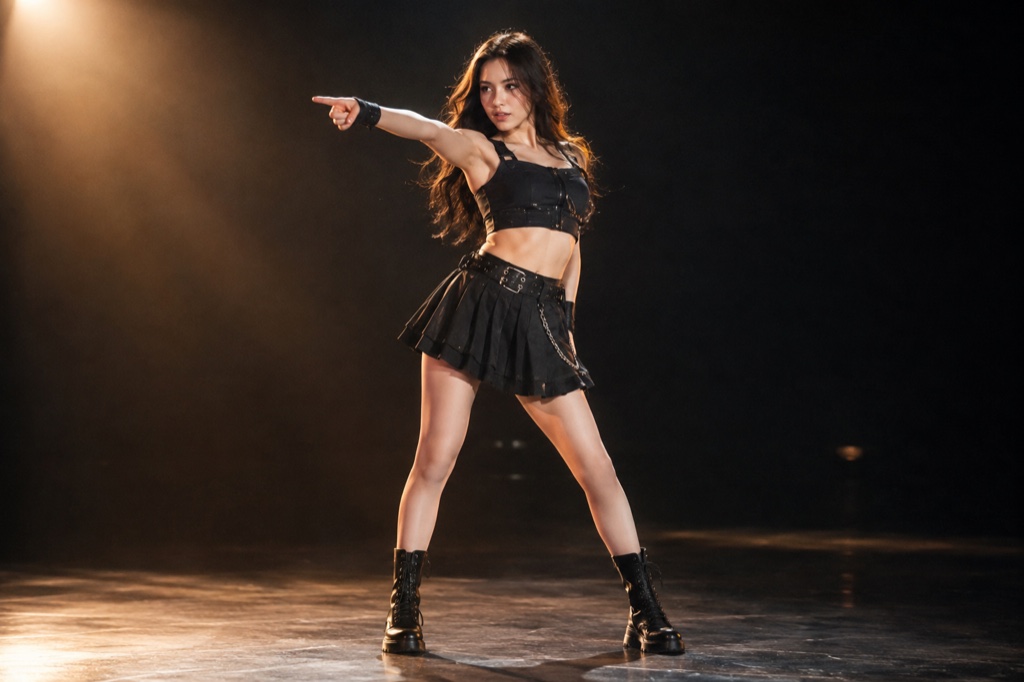
Vertical 9:16 frame of a dancer mid hero point, one arm extended toward the camera in a finger-gun gesture, front-lit against a dark stage floor
Length
5–12 seconds
Resolution
480p · 720p · 1080p
Aspect ratio
9:16 · 16:9 · 1:1
Watermark
None on paid renders
Model
Seedance 2.0
Moderation
SeeAPI, fail-closed

The point move is the unit, not the routine

This studio doesn't try to reconstruct a full thirty-second sequence. It targets the gesture that carries the song — for "Looks Can Kill", the finger-gun hero point — and holds it long enough to read on a phone screen held at arm's length.

One image, no reference video

You don't upload footage of yourself dancing or match a member's fancam frame by frame. A single clear photo, plus a short text description of the motion, is the entire input. The photo supplies body, outfit and lighting; the text supplies the movement.

Priced per clip, refunded on failure

A standard 720p, 12-second vertical clip costs 35 credits, and credits start at $9.90. If a render fails, those credits go back to your balance — you pay for usable output, not for attempts.

How it works

  1. 1

    Upload one photo

    Pick a sharp full-body or three-quarter shot with your hands visible and uncropped. Even front lighting and a plain background give the model a cleaner silhouette to animate than a busy scene or a low-angle selfie.

  2. 2

    Describe the hero point

    Write the gesture the way a choreographer would call it: which arm fires toward the lens, where the wrist snaps, whether the chest is lifted and the chin dropped, how far the shoulders rotate on the hit. Two or three specific lines beat a paragraph of mood words.

  3. 3

    Render the 12-second clip

    The studio produces a 720p vertical video in 9:16 — the native crop for the trend — for 35 credits per standard render. No timeline editing, no keyframes, no second app.

  4. 4

    Review and re-render

    Watch the hands, wrists and hairline first; those are where image-to-video breaks. If a pass fails outright, the credits are refunded. If it renders but the gesture reads soft, tighten the description and run it again.

Start from a tested prompt

Each prompt is complete: subject, scene, camera and what must not change. Copy it or open the studio with it pre-filled.

Side-by-side example: a single uploaded portrait on the left, the generated 720p 12-second vertical clip on the right, caught mid point choreography

Spotlight finale

A spotlight finale scene that keeps the face and outfit from your photo.

Prompt (English)

Use the person in the uploaded photo as the only hero. Keep their face, hair, skin tone and outfit exactly as photographed. A dark stage with a single warm spotlight and a thin haze in the air. The person steps into the light, crosses their arms, snaps a finger-gun point at the lens, shifts through a side step, lifts a bent leg and finishes with an arm overhead and a held final pose as the light tightens on them. One continuous vertical 9:16 shot at full-body distance, slow push-in, deep shadows and warm rim light. No text, no watermark, no other people, no real celebrities, no logos.

Use in studio

Practice room

A practice room scene with a tighter camera and a held final pose.

Prompt (English)

Use the person in the uploaded photo as the only hero. Keep their face, hair, skin tone and outfit exactly as photographed. A bright dance practice room with a mirrored wall, pale wooden floor and soft daylight. The person faces the mirror, then turns to the camera: they roll their shoulders, cross their arms near the face, snap a finger-gun point at the lens, take a quick side step, lift a bent leg and finish with an arm raised overhead. One continuous vertical 9:16 shot at full-body distance, handheld camera with a gentle push-in, clean natural light. No text, no watermark, no other people, no real celebrities, no logos.

Use in studio

Comic frame

A comic frame scene for a more graphic, stylised result.

Prompt (English)

Use the person in the uploaded photo as the only hero. Keep their face, hair, skin tone and outfit recognisable, then render the whole shot as an original comic-book hero sequence: bold ink outlines, flat cel shading, halftone texture and graphic speed lines. The person crosses their arms, fires a finger-gun point at the lens, snaps once, steps into a wide stance, raises an arm overhead and holds a hero pose. One continuous vertical 9:16 shot at full-body distance, dramatic low angle, limited palette of deep navy, warm yellow and off-white. Original character art only: no existing comic characters, no real celebrities, no text, no watermark, no logos.

Use in studio

What makes K-pop point choreography read on a phone

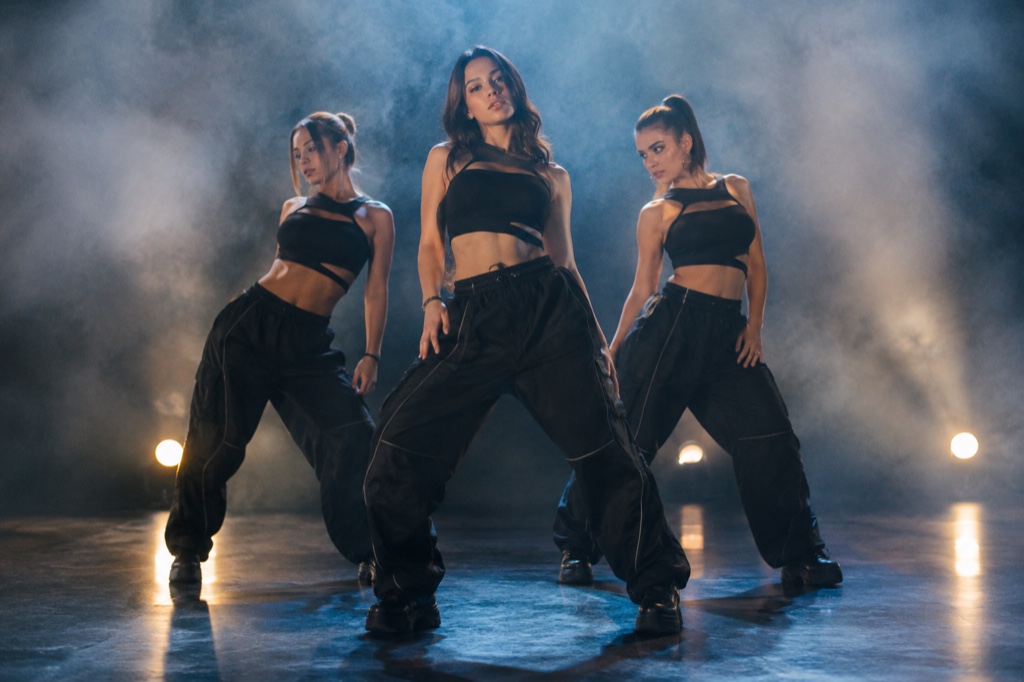
Point choreography is a compression habit. A title track is built around two or three gestures that survive a nine-by-sixteen crop: a clean line from shoulder to fingertip, a hit that lands on the vocal chop, a silhouette a viewer can copy in a bedroom mirror. Everything else is connective tissue.

"Looks Can Kill" pushes that into a girl-hero register — chin down, chest open, finger-gun aimed at the lens. The gesture is legible in a single still frame, which is exactly why a one-photo workflow can reproduce it where a full routine could not.

How a still image carries a moving gesture

Your photo answers the static questions: body shape, clothing, hair, where the light falls, how the shoulders sit. Text answers the dynamic ones: which arm extends, how fast the wrist rotates, whether the weight shifts to the front foot on the accent.

Keeping the clip to twelve seconds is a deliberate constraint. Short beats and a tight vertical keep the frame on the upper body, where point moves actually live — and where limb artefacts are least likely to show.

Honest limits of fan-made K-pop dance AI

This is not a dance tutorial, not an official release, and not affiliated with IVE or Starship Entertainment. It does not include the official recording, the official video, or any member's likeness. Output is a silent video file; add whatever audio you hold the rights to elsewhere.

Fast wrist rotations and overlapping fingers remain the fragile part of any image-to-video model. Start from a photo where the hands are already visible and well lit, keep the gesture slow enough to read, and expect a second pass before the point lands cleanly.

Questions people ask

Is this an official IVE or Starship tool?

No. Looks Can Kill AI is an independent, fan-made studio. It is not affiliated with, endorsed by, or connected to IVE or Starship Entertainment, and it does not use the official recording, music video, or member likenesses.

Does the clip come with the "Looks Can Kill" audio?

No official audio is included. You receive a silent 720p vertical video file and can add whatever sound you have the rights to in your own editor.

How much does one clip actually cost?

Credits start at $9.90. A standard 720p, 12-second vertical clip costs 35 credits, and any render that fails is refunded to your balance, so a broken output never costs you credits.

Do I need to know the choreography already?

No. You describe the gesture in plain text — arm direction, wrist snap, where you're looking — and the studio translates it into motion. Familiarity with the point helps you write a sharper description, but you never perform on camera.

What photo gives the best result?

A sharp full-body or three-quarter shot, hands visible, even front lighting, and a background that doesn't compete with your silhouette. Skip extreme angles, cropped hands and heavy motion blur; those are where wrists and fingers break first.

Can I upload a photo of an IVE member or a friend?

Upload only images you have the rights to use — normally your own. Member likenesses aren't used anywhere on this site, and generating clips of other people without their permission isn't what the studio is for.

Turn your photo into a clip

Start with the preset on this page, or write your own shot. Credits are shown before you generate, and failed renders are refunded.