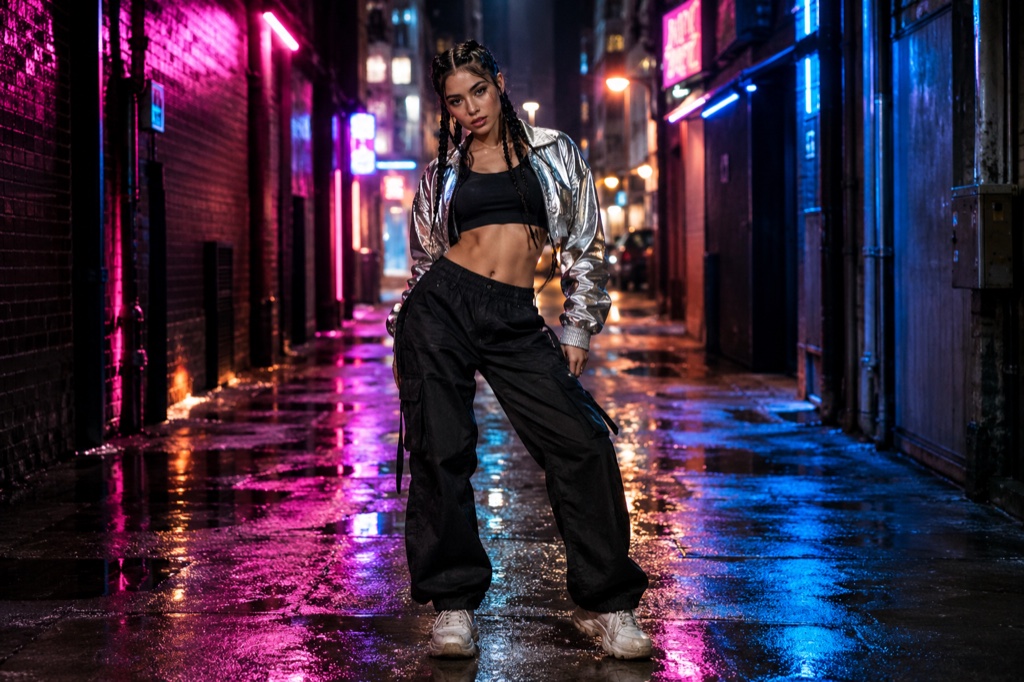
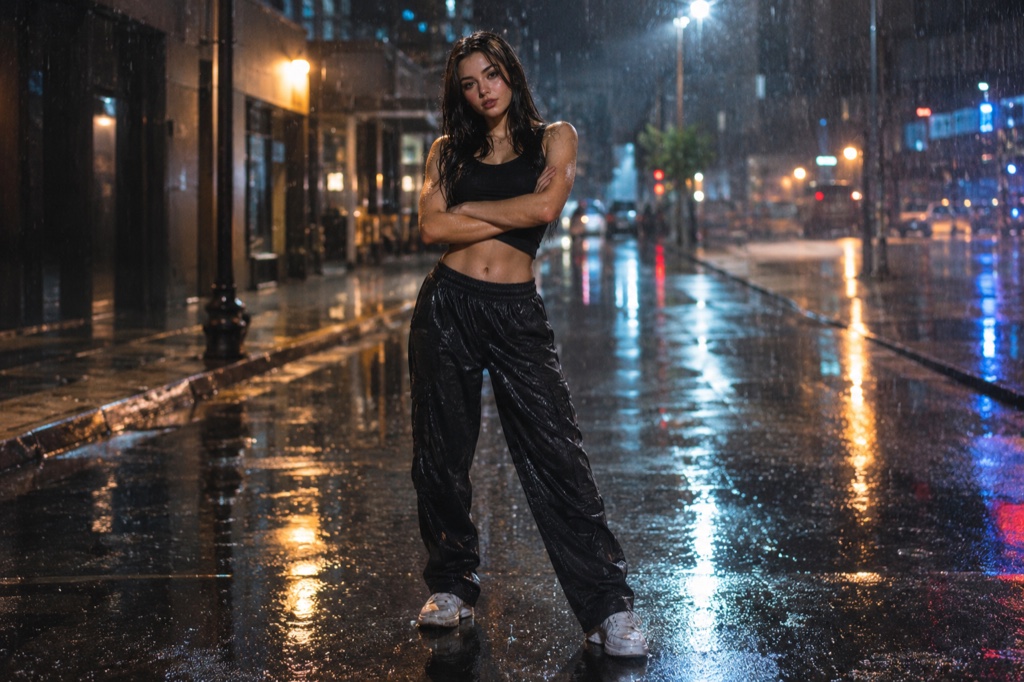
Text-to-dance mode · no photo required

Text to Dance Video: Describe a Character, Render a Dance Clip

Text-to-dance mode flips the usual workflow. Instead of uploading a photo and hoping the model keeps the face, you type a character description — age range, build, hair, outfit, attitude — plus the scene you want around them. The render turns that description into a short vertical clip of a figure hitting the hero point from the Looks Can Kill choreography. No selfie, no photo cleanup step, no guessing which upload survives the render.

The trend itself is fan-made. When IVE released "Looks Can Kill" as the title track of their fifth EP — single on 19 October 2026, EP on 26 October 2026 — the girl-hero concept and the finger-gun point sent people filming themselves in one take. Text-to-dance keeps the shape of that clip but drops the source photo: you invent someone who doesn't exist and put them in a scene you'd never get to shoot.

Clips on this page are AI-generated previews. They are fictional and not a record of a real event.

Updated 20 October 2026

Vertical dance clip generated in text-to-dance mode from a written character description
Length
5–12 seconds
Resolution
480p · 720p · 1080p
Aspect ratio
9:16 · 16:9 · 1:1
Watermark
None on paid renders
Model
Seedance 2.0
Moderation
SeeAPI, fail-closed

No photo, no face drift

In photo mode the model has to hold an uploaded face consistent across frames. Text-to-dance builds the figure from the description instead, so there is no face to drift — but the description has to carry the whole look, from silhouette to outfit colour.

Framed for the hero point

Default output is 9:16 vertical and 12 seconds, which suits the finger-gun point in the "Looks Can Kill" choreography: a beat of lead-in, one sharp gesture, a short tail. You can name where in the clip the point lands.

Credits, priced plainly

Credits start at $9.90. A standard 720p 12-second clip costs 35 credits, so a small top-up covers a couple of takes. Failed renders are refunded — you are not charged for a clip that never delivered.

How it works

  1. 1

    Switch to text-to-dance

    Open the studio and pick the text-to-dance tab instead of photo upload. You get two prompt fields: character and scene. Nothing is uploaded, so nothing needs cropping or relighting first.

  2. 2

    Write the character

    Height, build, hair length, one strong outfit colour, one attitude cue. Example: "a tall dancer in a cropped red jacket and black wide-leg trousers, chin up, deadpan." Keep the person invented — fictional characters only.

  3. 3

    Write the scene and the camera

    Name the location, the light and the framing: "empty subway platform, hard overhead light, slow push-in, vertical 9:16." Say where the point lands — opening second or halfway — so the gesture isn't buried.

  4. 4

    Render and check

    Render a standard 720p 12-second clip for 35 credits; credits start at $9.90. If the render fails, the credits return to your balance and you can tighten the prompt and retry.

Start from a tested prompt

Each prompt is complete: subject, scene, camera and what must not change. Copy it or open the studio with it pre-filled.

A described character in a cropped red jacket mid finger-gun point in a neon-lit corridor, rendered as a 9:16 dance clip

Rooftop hero

A rooftop hero scene that keeps the face and outfit from your photo.

Prompt (English)

Use the person in the uploaded photo as the only hero. Keep their face, hair, skin tone and outfit exactly as photographed. Night rooftop above a glowing city skyline, a light breeze moving their hair and jacket. The person walks two steps toward the lens, crosses their arms, snaps a finger-gun hand toward the camera, points at the lens, shifts their weight through a sharp side step, lifts one bent leg, raises an arm overhead and settles into a wide action-hero stance with one final point. One continuous vertical 9:16 shot at full-body distance, a slight low angle, cinematic teal and amber light, slow motion on the snap. No text, no watermark, no other people, no real celebrities, no logos.

Use in studio

Comic frame

A comic frame scene with a tighter camera and a held final pose.

Prompt (English)

Use the person in the uploaded photo as the only hero. Keep their face, hair, skin tone and outfit recognisable, then render the whole shot as an original comic-book hero sequence: bold ink outlines, flat cel shading, halftone texture and graphic speed lines. The person crosses their arms, fires a finger-gun point at the lens, snaps once, steps into a wide stance, raises an arm overhead and holds a hero pose. One continuous vertical 9:16 shot at full-body distance, dramatic low angle, limited palette of deep navy, warm yellow and off-white. Original character art only: no existing comic characters, no real celebrities, no text, no watermark, no logos.

Use in studio

Practice room

A practice room scene for a more graphic, stylised result.

Prompt (English)

Use the person in the uploaded photo as the only hero. Keep their face, hair, skin tone and outfit exactly as photographed. A bright dance practice room with a mirrored wall, pale wooden floor and soft daylight. The person faces the mirror, then turns to the camera: they roll their shoulders, cross their arms near the face, snap a finger-gun point at the lens, take a quick side step, lift a bent leg and finish with an arm raised overhead. One continuous vertical 9:16 shot at full-body distance, handheld camera with a gentle push-in, clean natural light. No text, no watermark, no other people, no real celebrities, no logos.

Use in studio

How text-to-dance renders a clip

Text-to-dance skips the image-upload stage. Your prompt is read as three slots — subject, setting, action — and the model builds one consistent figure across the full 12 seconds rather than re-guessing a face every frame. That is why description quality matters more here than in photo mode: nothing is pinned down by a reference image.

A standard render is 720p, 9:16 vertical, 12 seconds — the shape of a Reels or TikTok upload. Longer or sharper output costs more credits. A failed render is refunded, so a bad take doesn't quietly eat your balance.

What belongs in a character description

Lead with silhouette, not detail. Height, build, hair length and one strong outfit colour read instantly at 720p; six accessories blur into noise at that size.

Then give one posture the choreography can snap out of — chin up, shoulders loose, deadpan. The hero point is a short, sharp gesture, so the model needs a stance to break from, not a personality essay.

Keep the character fictional. Describe invented people; don't ask for a real performer, an IVE member, or anyone's likeness.

Credits, pricing, and what a clip actually costs

Credits start at $9.90. A standard 720p 12-second clip costs 35 credits, so a modest top-up buys a first attempt and a reshoot without committing to a subscription you'll forget to cancel.

Failed renders are refunded to your balance, so you pay for delivered clips rather than queue time. No official recording, music-video footage or member likeness is used anywhere in the pipeline — the output is a described, invented character.

Questions people ask

Do I need a photo to make a text-to-dance clip?

No. Text-to-dance mode takes a written character description and a scene instead of an upload. Photo mode still exists if you'd rather start from a selfie — this page covers the no-photo path.

What does a clip cost?

Credits start at $9.90. A standard 720p, 12-second vertical clip costs 35 credits. Failed renders are refunded to your balance, so an error doesn't cost you credits.

Is the official "Looks Can Kill" audio included?

No. No official recording, music-video footage or member likeness is used. Clips are silent or carry whatever audio you add later in your own editor.

Can I describe a real person, like an IVE member?

No. Text-to-dance is for fictional characters. Prompts naming real performers or requesting a specific idol's likeness aren't supported; the trend this site responds to is fan-made and unaffiliated.

How long and how sharp is the output?

Standard renders are 12 seconds at 720p in a 9:16 vertical frame — enough for one full hero-point pass with a beat of lead-in. Longer or higher-resolution renders cost more credits.

Is Looks Can Kill AI official?

No. It's an independent studio, not affiliated with IVE or Starship Entertainment. "Looks Can Kill" is IVE's title track from their fifth EP, with the single on 19 October 2026 and the EP on 26 October 2026; this tool only responds to the fan-made dance trend around it.

Turn your photo into a clip

Start with the preset on this page, or write your own shot. Credits are shown before you generate, and failed renders are refunded.